> For the complete documentation index, see [llms.txt](https://wiki.cobbleland.com/llms.txt). Markdown versions of documentation pages are available by appending `.md` to page URLs; this page is available as [Markdown](https://wiki.cobbleland.com/cobblemon-wiki/welcome-to-cobbleland/general-information/add-ons.md).

# Add-ons

To help make your experience more enjoyable, we've added several custom Quality of Life changes or aesthetic updates!

### Cauldron Concrete

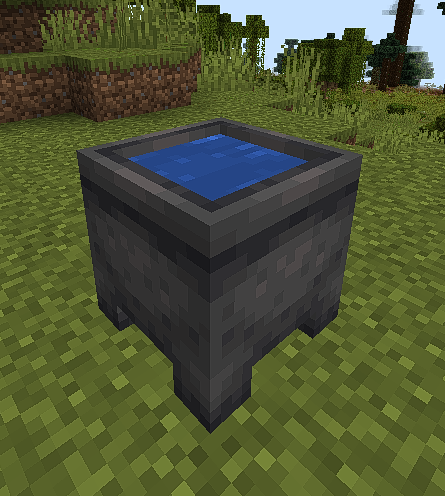
Throwing **Concrete Powder** of any color into a Cauldron full of Water will convert them into **Concrete Blocks**.

<figure><img src="https://828466169-files.gitbook.io/~/files/v0/b/gitbook-x-prod.appspot.com/o/spaces%2FA3XG9mHfD33a0JszbFIW%2Fuploads%2FrDD7rMnmCZHiEN0Qjg2U%2Fimage.png?alt=media&amp;token=4e9d4c04-a3f5-4cf7-a03f-75b5f8e19341" alt=""><figcaption><p>Throw any color of Concrete Powder into a Cauldron to easily convert them into blocks.</p></figcaption></figure>

### Better Hanging Signs

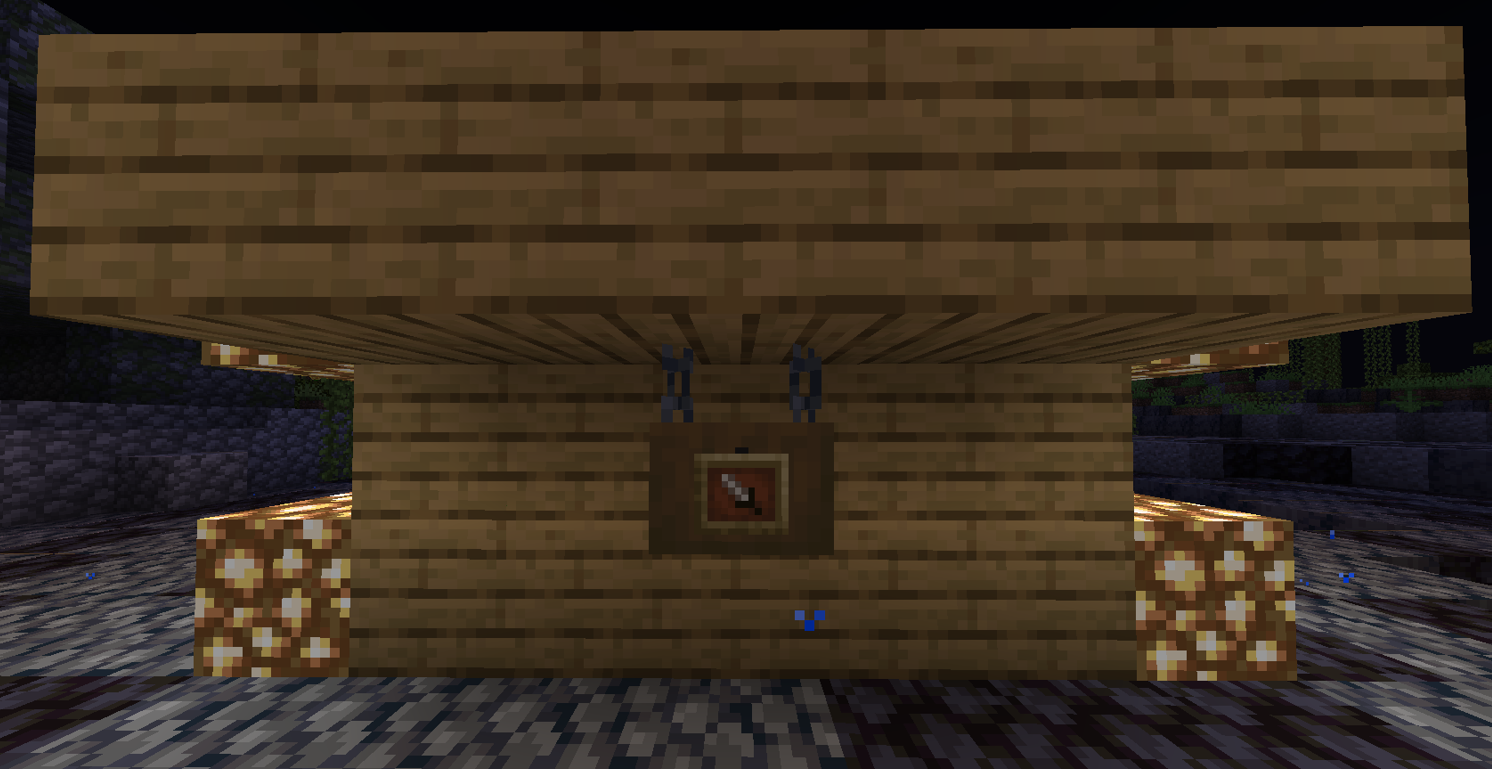
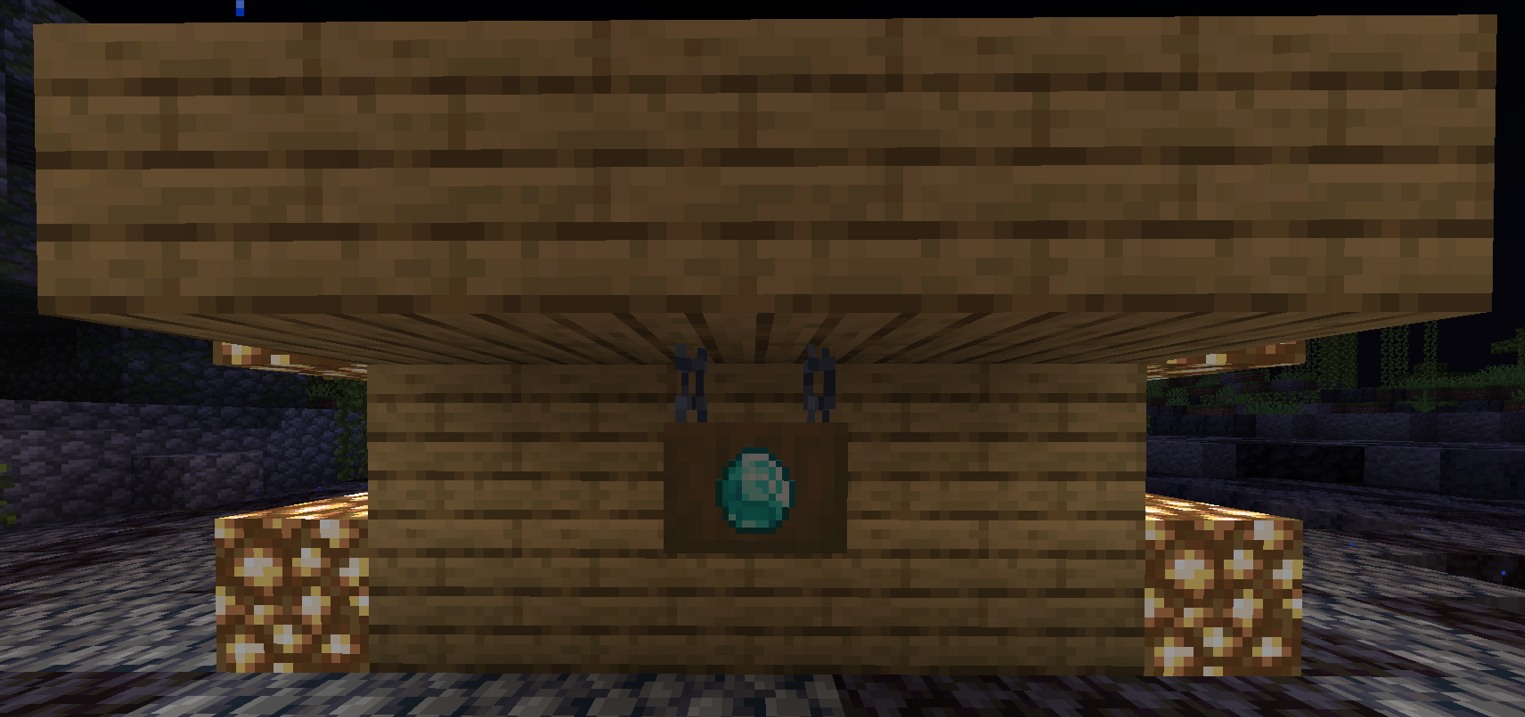
Have you ever wanted **Hanging Signs** to be able to display an item? Well, heres some good news for you, Trainer! By placing any kind of hanging sign, and shift right-clicking it with an **Item Frame** will place an item frame on your hanging sign. From there, you may right click with any item to display it!

<figure><img src="https://828466169-files.gitbook.io/~/files/v0/b/gitbook-x-prod.appspot.com/o/spaces%2FA3XG9mHfD33a0JszbFIW%2Fuploads%2FvRVmnKyAIbxkaAbOYUeZ%2Fimage.png?alt=media&amp;token=5f900a61-95ad-47d4-8c83-1ad0ee8a5dfc" alt=""><figcaption><p>Before an item may be displayed, be sure to use an Item Frame on your hanging sign.</p></figcaption></figure>

<figure><img src="https://828466169-files.gitbook.io/~/files/v0/b/gitbook-x-prod.appspot.com/o/spaces%2FA3XG9mHfD33a0JszbFIW%2Fuploads%2FEK1O9GnqxFkKmEKfuoAm%2Fimage.png?alt=media&amp;token=ac33bc3d-5dc7-43e9-8d24-107065fedd7e" alt=""><figcaption><p>Whichever item you choose to display will not be taken from your inventory, so feel free to show off some items!</p></figcaption></figure>

### Catenary

Caternary includes many decorative ropes and chains to help spice up your builds. To place a Catenary, you first place the Firework Rocket at one of the points where you would like to attach it. You will then get a rocket that is bound to that location. Placing this rocket on the second attachment point will create two anchors at the attachment points with a catenary between them. You can left-click these anchors to destroy the catenary, and you can right-click an anchor with a rocket to set it as an attachment point for another catenary.

Listed below are all Catenary recipes, and what they look like:

<details>

<summary>Caternaries</summary>

Amethyst Lights

Bamboo

"Catenary" Spelling

Chain with Lanterns

Chain with Mixed Lanterns

Chain with Paper Lanterns

Chain with Soul Lanterns

Custom Spelling

Electrical Cable

End Rods

Grindstone Chain

Mossy Beam

Rainbow Glass Panes

Simple Chain

Straight Chain

Straight Iron Bars

</details>